Writing your book
You write in the Structured editor — a visual, block‑based editor. Every paragraph is a semantic block (a chapter title, a body paragraph, a verse, a scene break…), and EscapeVelocity turns those blocks into clean, professional LaTeX for you. You never see markup while you write.
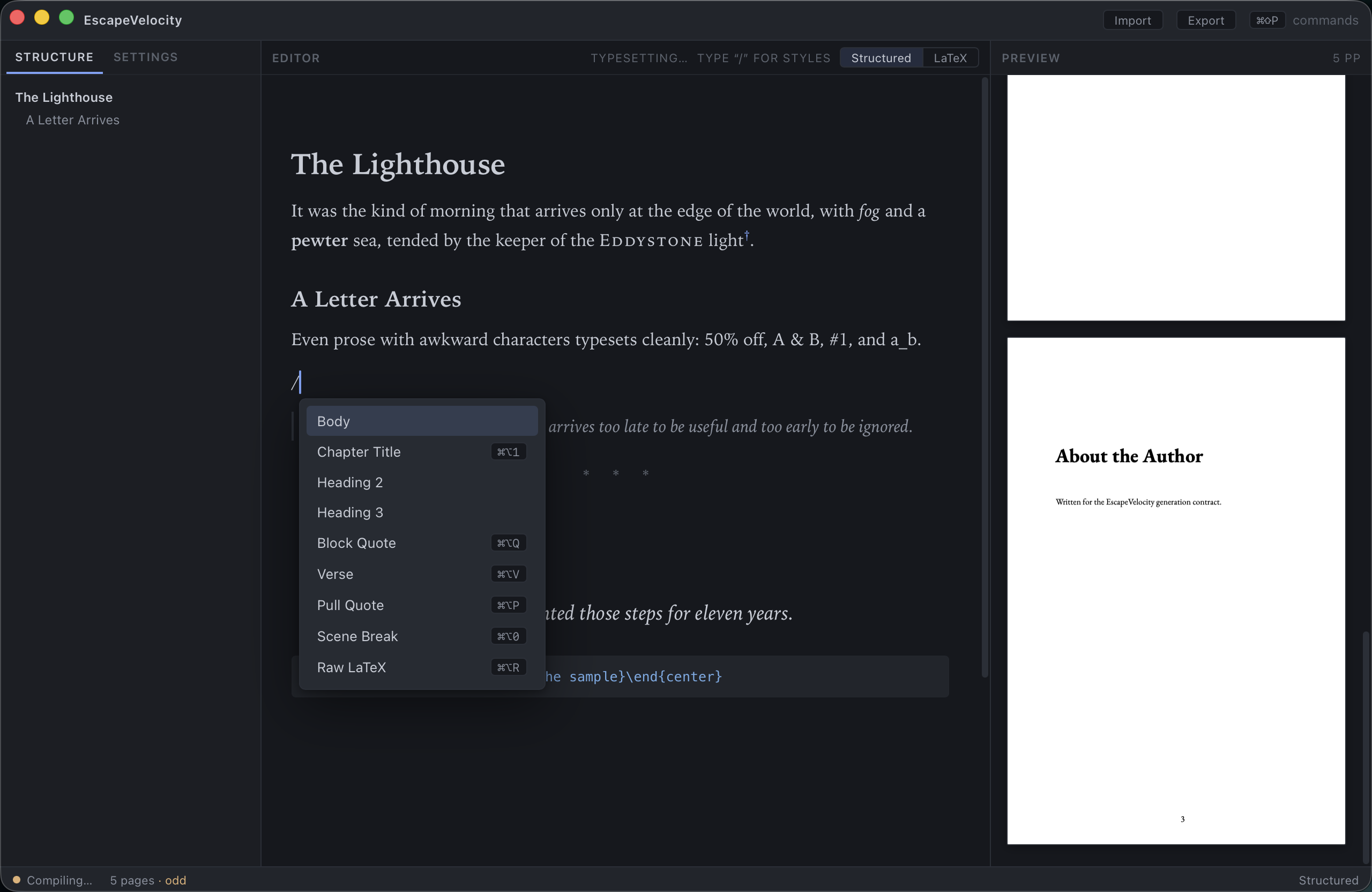
The slash menu
To change a block’s style, put the cursor at the start of an empty block and type /. A menu appears; keep typing to filter (e.g. verse, pull, quote), use ↑/↓ to move, and ↵ to apply. Press Esc to dismiss it.
Block styles
| Style | What it’s for | Shortcut |
|---|---|---|
| Body | Ordinary prose paragraph | — |
| Chapter Title | Starts a new chapter (also appears in the outline) | ⌘+⌥+1 |
| Heading 2 | Section heading within a chapter | — |
| Heading 3 | Sub‑section heading | — |
| Block Quote | Indented quotation | ⌘+⌥+Q |
| Verse | Poetry / line‑broken verse | ⌘+⌥+V |
| Pull Quote | Centered, emphasized excerpt | ⌘+⌥+P |
| Scene Break | A typographic break (* * *) |
⌘+⌥+0 |
| Raw LaTeX | An escape hatch — hand‑written LaTeX | ⌘+⌥+R |
Raw LaTeX, when you need it
Most books never need it, but a Raw LaTeX block lets you drop in exactly the LaTeX you want (a custom environment, a special character sequence, fine spacing). It’s passed straight through to the compiler.
Inline formatting (marks)
Select text and apply a mark:
| Mark | Shortcut |
|---|---|
| Bold | ⌘+B |
| Italic | ⌘+I |
| S m a l l caps | ⌘+⇧+K |
The generator also handles the fiddly bits of real prose automatically — literal %, &, #, _, en/em dashes and the like are escaped and typeset correctly, so text like “50% off, A & B, #1, and a_b” comes out right.
The outline
Chapters, sections and headings appear live in the Structure tab on the left as you write. Add a Chapter Title (⌘+⌥+1) and it shows up immediately in the outline and as a new chapter in the preview.
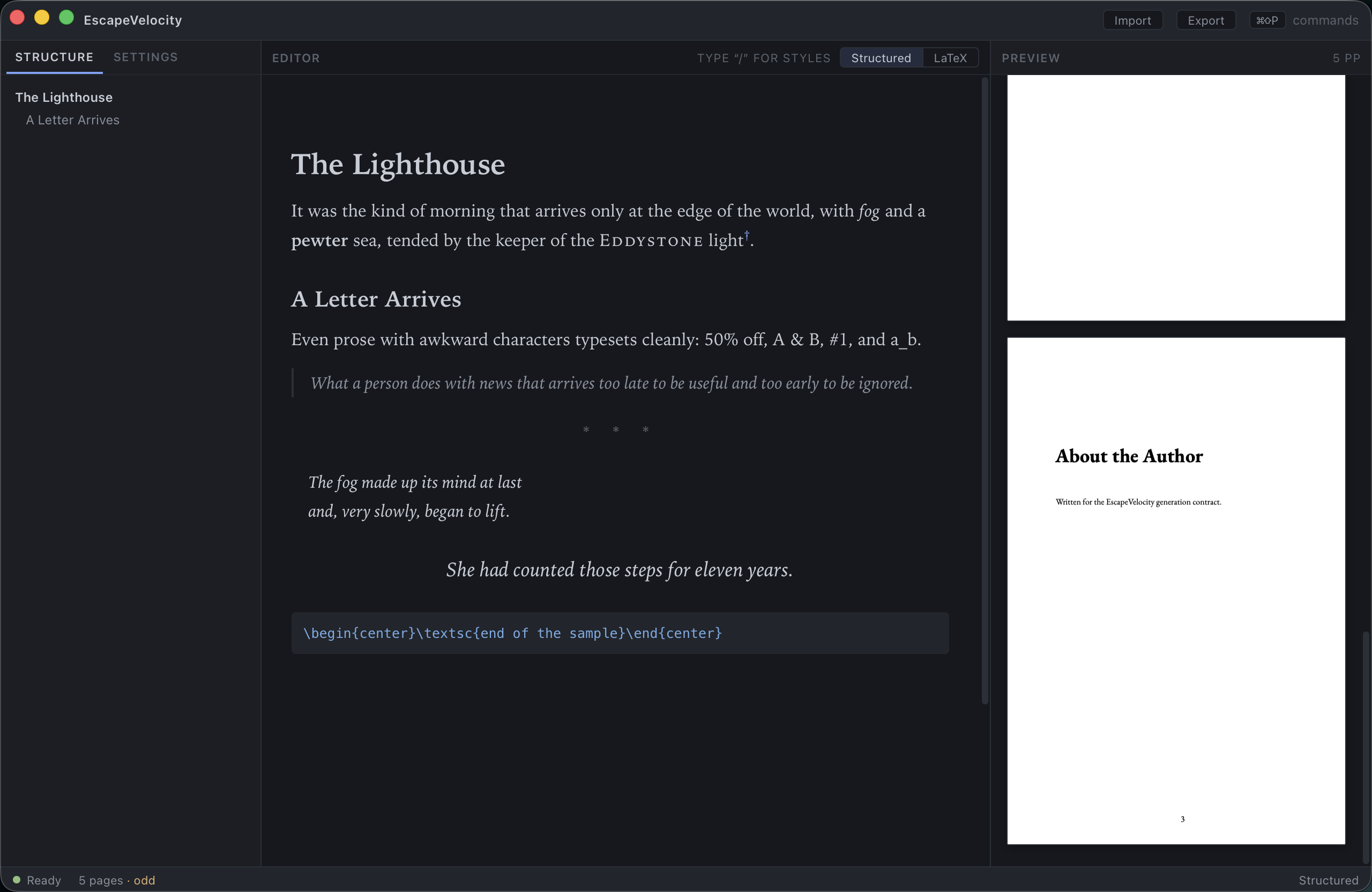
Front matter & back matter
The editor edits your book’s body. Front matter (like a Preface) and back matter (like About the Author) that ship with the sample are rendered in the preview but aren’t part of the body editor — that separation is by design, so structural pages stay out of your writing flow.
Live typesetting
There’s nothing to “save and compile.” About half a second after you stop typing, EscapeVelocity regenerates the LaTeX and recompiles, and the preview updates. The status strip shows Compiling… while it works and Ready when the new pages are in. To force a rebuild, press ⌘+↵.
Next: Page setup & design →