EscapeVelocity
Write your book visually, watch it typeset in real time, and export a print‑ready, KDP‑compliant PDF — completely offline.
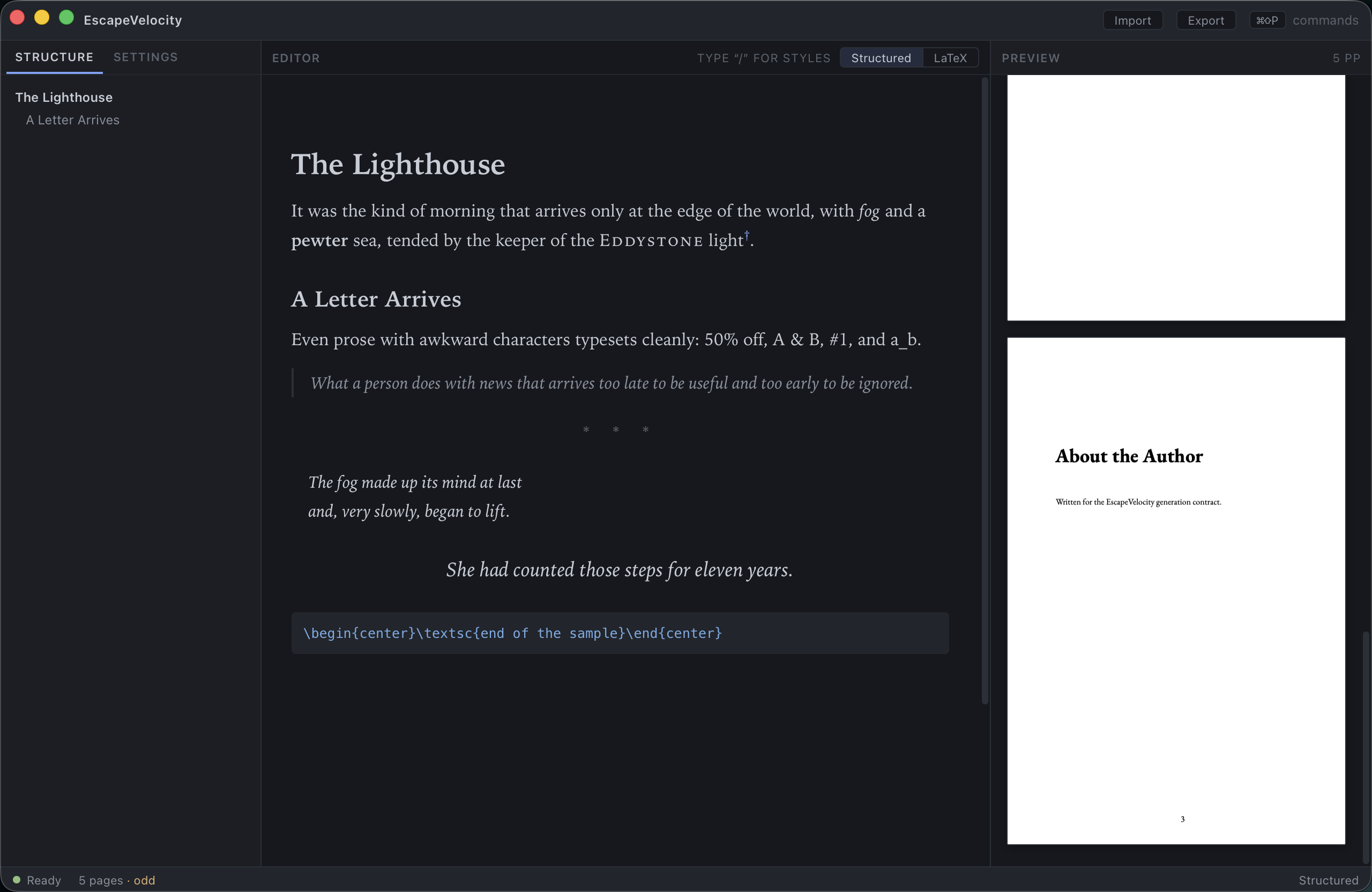
EscapeVelocity is a native desktop app for authors who want the typographic quality of LaTeX without ever touching LaTeX. You write in a clean, structured editor; the app generates professional memoir‑class LaTeX under the hood and compiles it with an embedded Tectonic engine, so the preview you see is the exact, page‑true book you’ll publish.
What you can do
-
Write in semantic blocks
Chapter titles, headings, block quotes, verse, pull quotes, scene breaks and raw LaTeX — chosen from a slash menu or with keyboard shortcuts. No markup to memorize.
-
See the real page
Every keystroke re‑typesets the book with Tectonic and renders it at the true trim size. What you see is what prints.
-
Design without a style sheet
Pick a house‑style template or set fonts, size, leading, margins and paragraph style in the inspector. The whole book re‑flows instantly.
-
Export with confidence
A one‑click KDP preflight checks trim, gutter, font embedding, page parity and more before it writes a print‑ready PDF (or portable LaTeX).
How it fits together
graph LR
  A[Structured editor] -->|generates| B[Clean LaTeX]
  B -->|Tectonic compile| C[Page-true PDF]
  C -->|PDF.js| D[Live preview]
  C -->|KDP preflight| E[Print-ready PDF export]
The structured document is always the source of truth. The LaTeX source and the PDF are generated from it — you can read the LaTeX (and drop into raw LaTeX where you need it), but you never have to maintain it by hand.
New here?
- Getting started — install the toolchain and launch the app.
- The workspace — learn the three panes, the title bar and the status bar.
- Writing your book — blocks, the slash menu, marks and the outline.
- Exporting for print — run the KDP preflight and produce your PDF.
Platform
EscapeVelocity is a Tauri desktop application. The screenshots in this guide were taken on macOS; the interface is identical across platforms (keyboard shortcuts use ⌘ on macOS and Ctrl elsewhere).